Let Claude design your model railway to fit your table
First layout
Benjamin | TrackDrawer.com · published 24 November 2026
Turn it on now in one minute
- Open Claude in your browser, in the desktop app or on your phone.
- Go to Settings > Connectors and search for TrackDrawer.
- Click add. You do not need to log in or set anything up.
- Ask your question in a new conversation.
That is all. Claude decides by itself when it needs TrackDrawer: for a question about a track plan, a track piece, a starter set or about wiring and turnouts.
What you can ask
You talk the way you would talk to a fellow club member. A few questions that work straight away:
- "Design a layout with Märklin C track on a table of 200 by 100 cm."
- "I have starter set 29074. What can I build with it on 180 x 90 cm?"
- "Design a train track with IKEA Lillabo for a play mat of 120 by 80 cm."
- "Does an oval with R2 of C track fit on my table of 200 x 100 cm?"
- "What is the counter curve of turnout 24611?"
- "How do I wire my turnouts?"
For a design question, Claude shows the plans as cards in the conversation: a drawing, the size, the number of pieces and the track length. Under each card is a button that opens the plan in TrackDrawer.
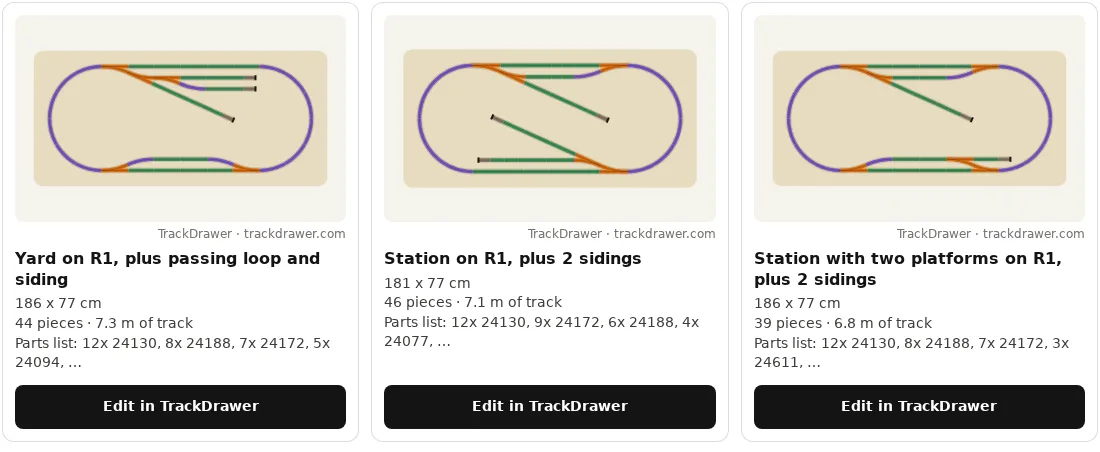
Plans that are right to the millimetre
A language model is strong at ideas, but it does not check whether twelve curves and four straights really make a closed oval. You can read about that in our piece on making a track plan with ChatGPT. With TrackDrawer on board, that changes. Claude passes the question to our designer, and it lays every plan piece by piece with the manufacturer's dimensions from the catalogue.
For every plan it checks:
- that the track closes up, without a gap or overlap;
- that it fits on your table, with the roadbed and a margin;
- that the turnouts are right, with the correct counter curve;
- that the pieces exist in your track system.
Only what passes all four ends up in the conversation. The same engine runs the Auto-designer in the app. So in Claude you do not get a guess, but the work of the designer itself.
Start from your starter set or your own drawer
Most layouts begin with a box that is already in the attic. Name the number of your starter set, and TrackDrawer knows which pieces are in it. It then designs first with what you already have, and tells you per plan what is still missing.
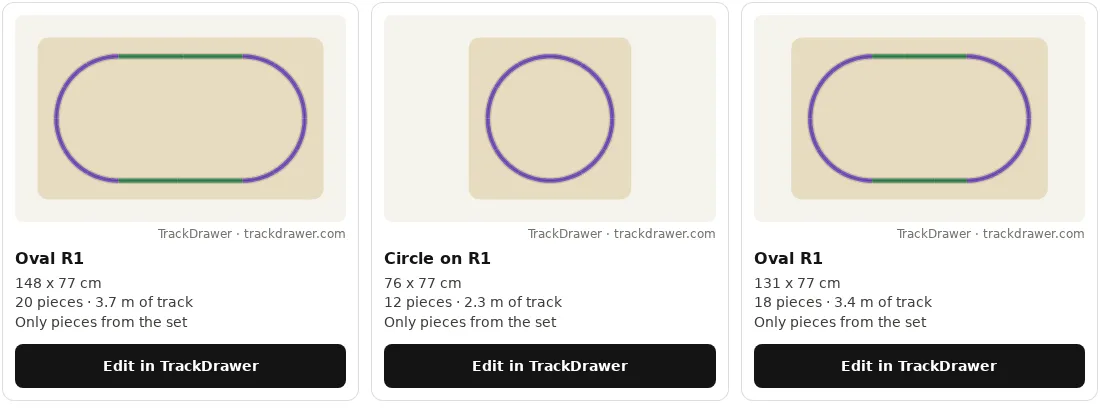
An example from a real conversation. To the question "I have starter set 29074. What can I build on 180 x 90 cm?" this came back, among other things:
| Plan | Size | Pieces | Track length | Still needed |
|---|---|---|---|---|
| Oval R1 | 148 x 77 cm | 20 | 3.7 m | nothing |
| Oval R1, shorter | 131 x 77 cm | 18 | 3.4 m | nothing |
| Circle on R1 | 76 x 77 cm | 12 | 2.3 m | nothing |
Each plan comes with the parts list per article number, for example 12x 24130, 4x 24172 and 4x 24188 for the large oval. Want more? Keep asking: "And with the C1 extension added?" or "Can a passing loop fit in?" Claude calculates again and shows what you need to add. You can read more about the first steps with C track in getting started with Märklin C track.
No starter set, but a drawer full of loose pieces? Name them by number: "I have 16x 24130, 6x 24188 and two turnouts 24611." Not sure yet what you want to buy? Ask for a plan from a typical drawer of your system.
For every layout, from Märklin to wooden track
TrackDrawer knows the geometry of dozens of track systems. Among them Märklin C, K and M, Roco Line, Fleischmann, Piko, Tillig, Kato, LGB and Trix. Toy track such as Brio, IKEA Lillabo and LEGO is included too. Designing for the children? Feel free to ask for a layout for a play mat or a patch of floor.
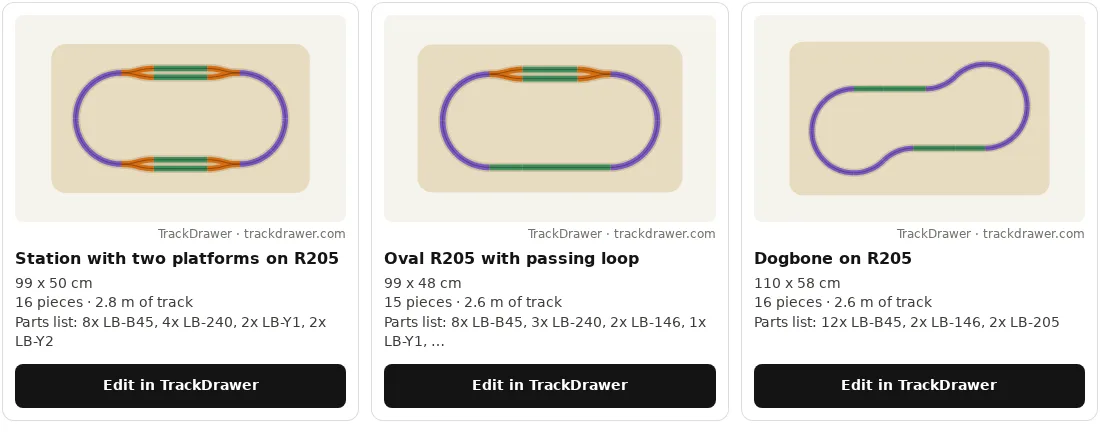
Claude answers in Dutch, German, English or French, and in centimetres or inches. Ask in English, and you get the parts list in English too.
Your questions about wiring and turnouts as well
Not every question is a design question. How steep can a gradient be? How do I wire a reversing loop? Why does my train derail on a turnout? Claude then searches our guide with more than 120 articles and gives the answer with a link to the article. That way you can read on if you want to know more.
From the conversation to your table
The conversation is the beginning. Click Edit in TrackDrawer under a card and the plan opens in the editor. There you do everything a chat cannot:
- move, rotate or swap pieces;
- add a station, a spur or a second loop;
- view the plan in 3D and run a train over it;
- print it at full size to lay on your table;
- take the parts list to the shop.
TrackDrawer works in the browser and as an app for iPhone, iPad and Android. You save your plan in your own account and find it again on every device.
What happens to your data
The connector only reads. Claude passes the question to TrackDrawer, such as the track system, the table size and the pieces, and gets the plans back. The conversation itself, your name and your email do not reach us. Nothing is stored until you click a plan link yourself. All the details are in the help for TrackDrawer in Claude (trackdrawer.com/mcp/hulp) and in our privacy statement (trackdrawer.com/privacy).
Frequently asked questions
Do I need a TrackDrawer account?
Not to ask and get plans. If you want to save a plan and keep editing it, you create an account when you open it.
Does it work in ChatGPT too?
We are working on it. As soon as TrackDrawer is in ChatGPT, you will read it here.
Why does Claude sometimes find no plan?
Usually the table is just too small for the curves with the roadbed and a margin. TrackDrawer then tells you which size is missing, or suggests a smaller radius if your system has one.
Try it now
Open Claude, turn on TrackDrawer under Connectors and ask for the layout you have long wanted to build. Rather draw it yourself straight away? Open the track plan generator or the Auto-designer in TrackDrawer.


