Building live with the arrow keys
Expanding
Benjamin | TrackDrawer.com · published 24 November 2026
With the keys you lay a whole oval in a few seconds, without dragging once. Here you build the oval from the Märklin C track starter set: four 24188 straights and twelve 24130 curves on a 180 x 90 cm baseboard.
Lay the first 24188 from the Track list and drag it to the bottom of the baseboard. It stays selected. Arrows appear at its free end: straight (1), curve to the left or right (2) and plus and minus (3). You can click the arrows as well.
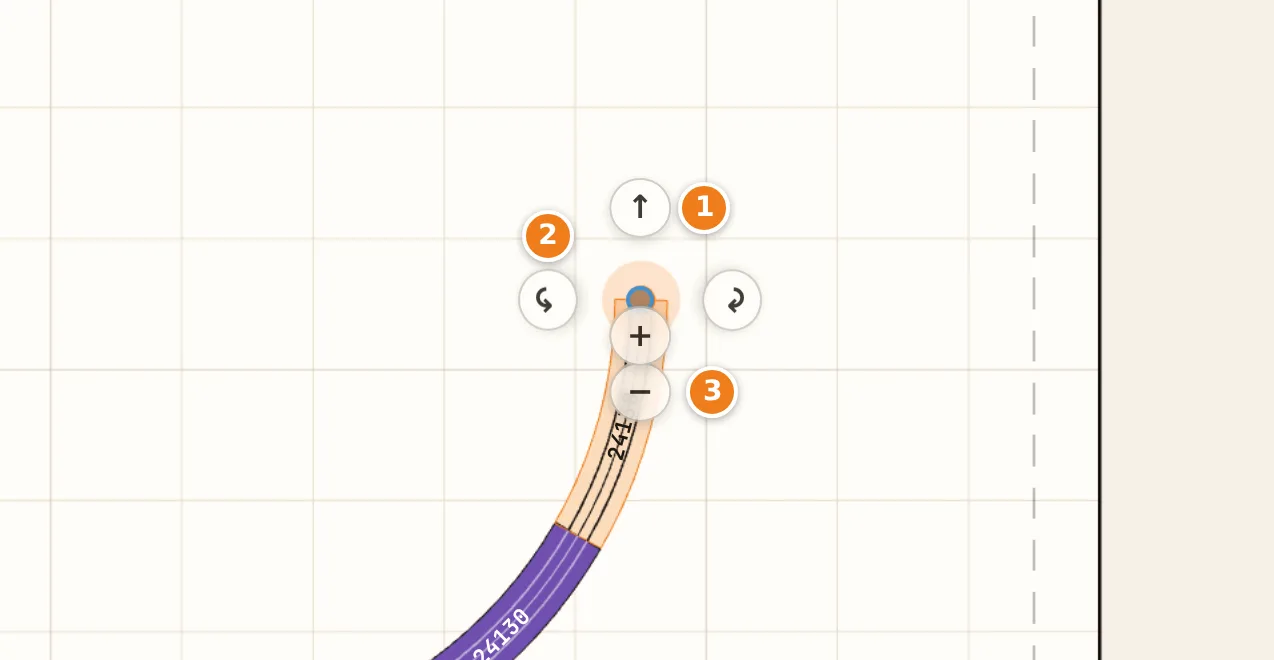
Straight (1), curve (2), same piece or remove the last (3). Press ↑: a straight is added. The app picks the straight you have used most in your plan, otherwise the longest one you still have in stock. ↓ lays the shortest straight you have left, here 24172.
Press ← six times: six 30 degree curves turn the track to the left, a half circle. Here too the app takes the curve already in your plan, otherwise the smallest radius in your stock.
Press ↑ twice for the far side and ← six more times. The oval closes: the status bar says "No errors" with 16 pieces and 3.02 m of track.
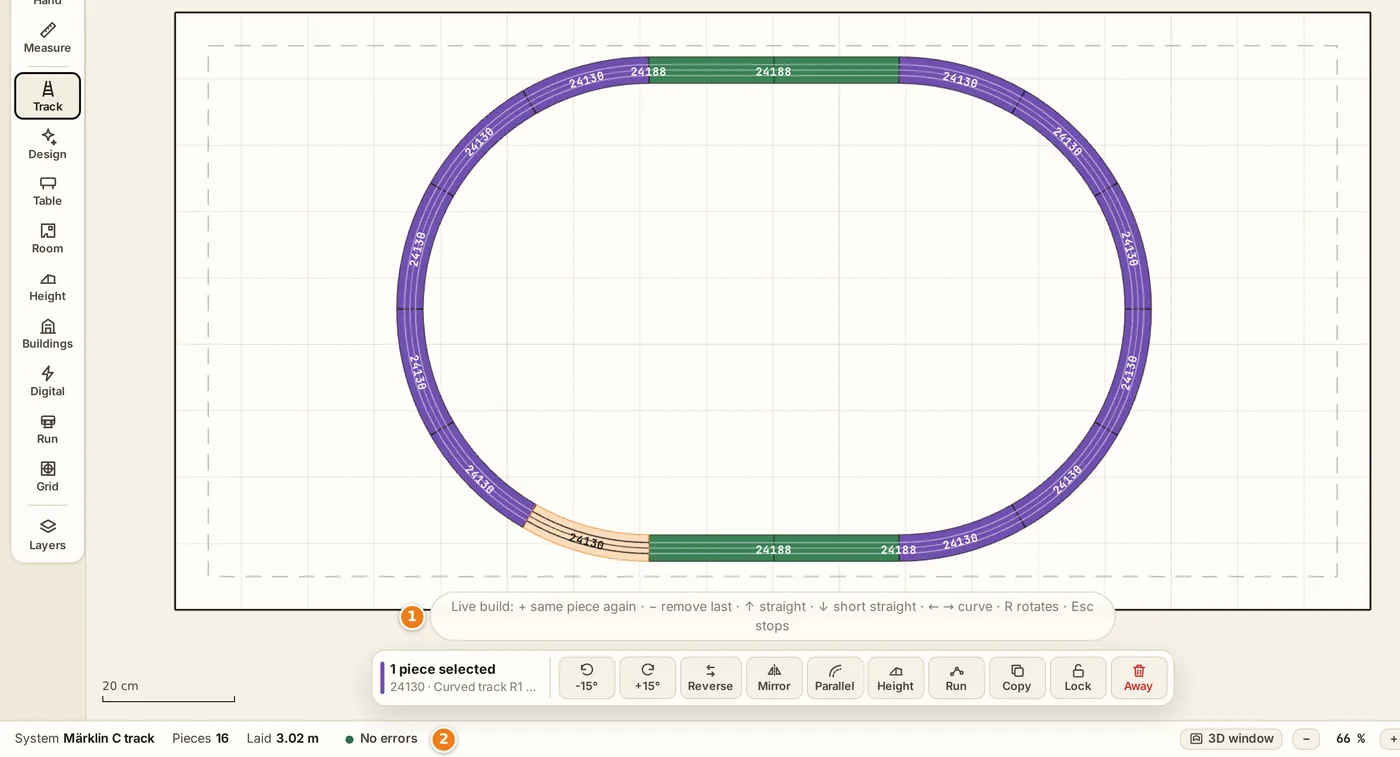
The keys are listed at the bottom of the view (1); the status bar says No errors (2). Laid the wrong piece? − removes the selected piece and selects the one before it, so you can carry on straight away. + lays the same piece again. R rotates, Esc stops building.
Read on
To place pieces loose first and drag them around, read laying track yourself in the editor. If your oval just fails to close, the gap finder looks for the pieces that close the gap.